From Image to Production: Building a Full Laravel App with OpenCode AI
Published on by Aleksandar Cvetanovski
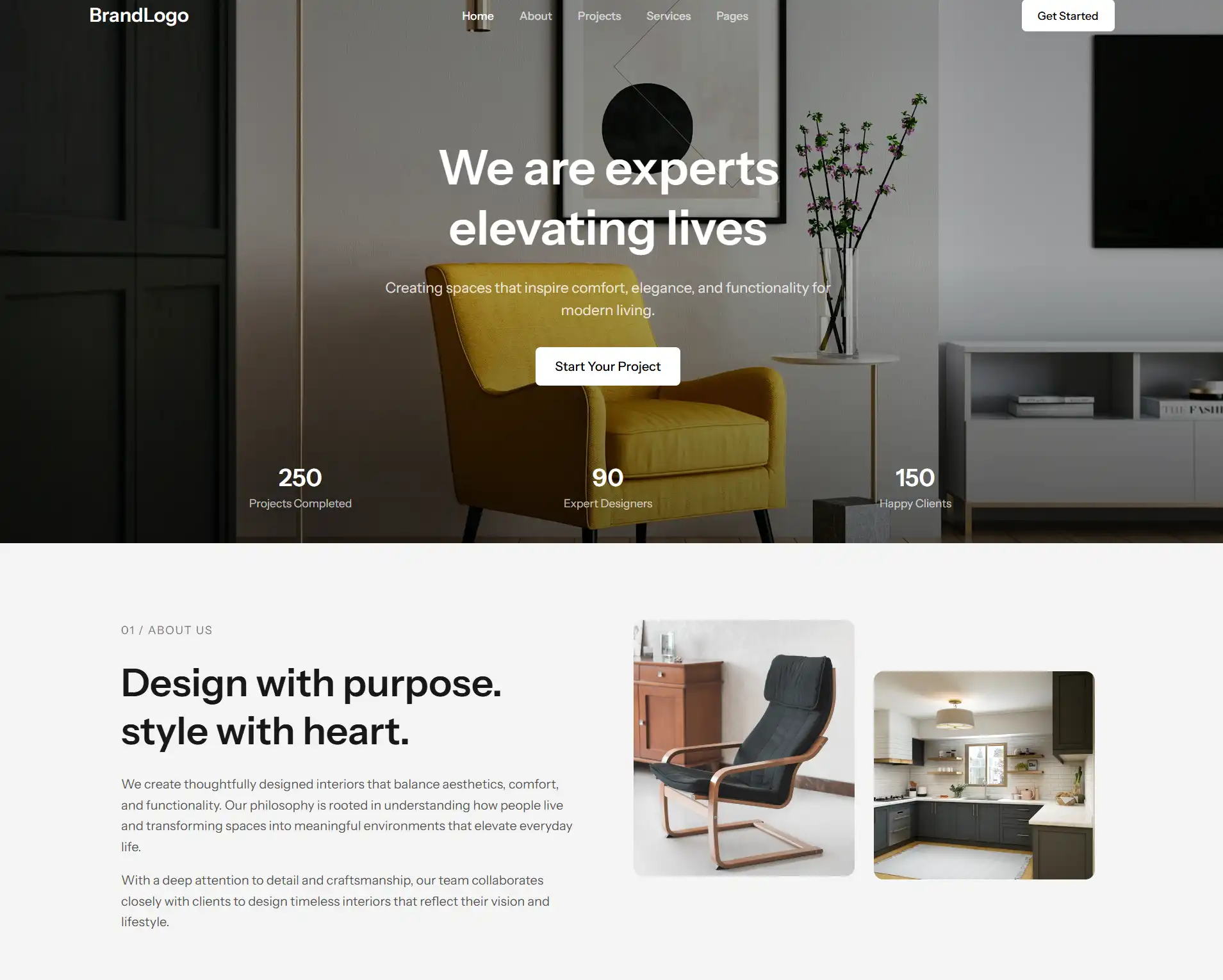
There’s something incredibly satisfying about turning a simple image into a fully working application. Recently, I took on a project where the goal was exactly that — take a static design and transform it into a dynamic, production-ready web app using modern tools and a bit of AI assistance.
Here’s a breakdown of how I did it, what worked, and what I’d do differently next time.
The Idea
The project started with a single image — a clean, modern UI design. Instead of manually dissecting every pixel and spacing rule, I used OpenCode AI to accelerate the process.
The goal wasn’t to replace development, but to:
- Speed up layout scaffolding
- Reduce repetitive work
- Stay focused on architecture and business logic
The Tech Stack
I built the project using a stack I trust for fast, scalable development:
- Laravel 12 – Solid backend foundation with elegant syntax
- Filament 5 – Powerful admin panel without the usual overhead
- Livewire 4 – Reactive components without leaving PHP
- Tailwind CSS 4 – Utility-first styling for rapid UI development
This combination lets me move quickly while still delivering a clean, maintainable codebase.
Step 1: From Image to Structure
Using OpenCode AI, I analyzed the design and generated an initial HTML structure. It wasn’t perfect — and that’s expected — but it gave me a solid starting point.
From there, I:
- Broke the layout into reusable Blade components
- Defined consistent spacing and typography using Tailwind
- Cleaned up unnecessary wrapper elements
💡 Tip: AI-generated markup is a starting point, not a final solution. Always refactor.
Step 2: Making It Reactive with Livewire
Once the static layout was in place, I started introducing interactivity using Livewire.
This allowed me to:
- Handle form submissions without writing JavaScript
- Build dynamic UI elements (filters, modals, etc.)
- Keep logic close to the backend
Livewire 4 feels especially smooth — less boilerplate, more control.
Step 3: Admin Panel with Filament
Instead of building a custom admin dashboard from scratch, I used Filament 5.
Within a short time, I had:
- CRUD interfaces for managing content
- Authentication and authorization
- Clean UI out of the box
This saved days of work and let me focus on the actual product.
Where AI Helped (and Where It Didn’t)
Helped:
- Generating initial layout from image
- Suggesting component structures
- Speeding up repetitive sections
Didn’t Help:
- Clean architecture decisions
- Naming conventions
- Business logic
That’s still where experience matters.
Final Thoughts
This project reinforced something important:
AI won’t replace developers — but developers who use AI will move significantly faster.
By combining:
- AI-assisted scaffolding
- A strong Laravel ecosystem
- Clean development practices
…I was able to go from image → working application in a fraction of the usual time.
Want Something Similar?
If you’re a business owner or designer with a static design and want to turn it into a fully functional web app or custom e-commerce platform — that’s exactly what I do.
No templates. No monthly platform fees. Just clean, scalable code built around your needs.
Let’s build something great.
Source Code
If you’d like to explore the code behind this project, I’ve made it available on GitHub:
👉 https://github.com/calexandar/fillament-5-admin